Note: Data recovery is not possible during the analysis period. Example: scheduled monitoring range from 22:00 to 09:00 and recovery attempt at 8:00.
Also make sure that the analysis range is correctly programmed.
Also make sure that the analysis range is correctly programmed.
1. Check that Dot is connected to the application.
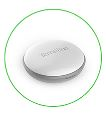
Dot icon surrounded by a green circle (if necessary, see the article "How does the Bluetooth of my Dot work?").
2. From the Home screen, pull down to start synchronization.
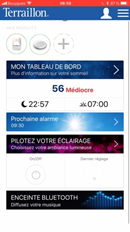

3. View your available data in MY DASHBOARD when synchronization is complete.
Comments
0 comments
Article is closed for comments.