As the Activi-T POD has not been marketed for several years, this product do not appear anymore in MyHealth application. However, it is still possible to use it by following the steps for pairing an Activi-T BAND.
Apple and Google require to use your location to allow the pairing of your product. It is mandatory to accept a number of permissions which are proposed during the first installation of the application.
To modify these permissions, you can access:
Under ANDROID: Settings / Apps and notifications / MyHealth
Under iOS: Settings / MyHealth
PREREQUISITES
- Make sure you have your smartphone connected to a Wi-Fi network or to the 4G
- Make sure you have your smartphone's Bluetooth enabled
- Make sure you have accepted all the requested permissions
- Make sure you have charged the battery of your podometer
- Make sure you have your podometer with you during the pairing process
Access the product categories page during the registration or from the DEVICES menu, then PAIR A NEW DEVICE
1. Select "Activity band", and follow the below steps

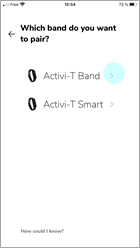
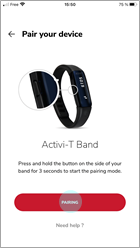
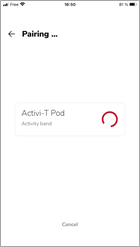
2. Press and hold the synchronization button on the podometer until the green ligtht flashes. Then, click PAIRING in your application.
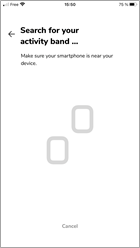
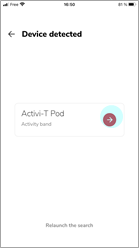
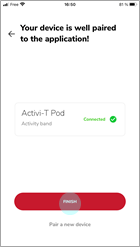
3. Once your podometer is found, press the red arrow then press FINISH (all lights should flash in green). Following this step, we strongly recommend to shake your podometer for a few seconds to simulate steps and confirm the pairing. Uploading data to the application may take a few minute.
Comments
0 comments
Article is closed for comments.